Loading...

Loading...
Proudly Canadian-Owned
[[ preferedStore.name]], [[preferedStore.iso_code]]
[[ preferedStore.address1]], [[preferedStore.city]], [[preferedStore.province_name]], [[preferedStore.postcode]]
[[ preferedStore.distance ]] km away
My Preferred StorePostal code updated.
See suggested stores below.
[[ store.name]], [[store.iso_code]]
[[ store.address1]], [[store.city]], [[store.province_name]], [[store.postcode]]
[[ store.distance ]] km away
My Preferred StoreYour postal code helps estimate shipping, delivery, and pricing.
[[ preferedStore.name]], [[preferedStore.iso_code]]
[[ preferedStore.address1]], [[preferedStore.city]], [[preferedStore.province_name]], [[preferedStore.postcode]]
[[ preferedStore.distance ]] km away
My Preferred StorePostal code updated.
See suggested stores below.
[[ store.name]], [[store.iso_code]]
[[ store.address1]], [[store.city]], [[store.province_name]], [[store.postcode]]
[[ store.distance ]] km away
My Preferred StoreYour postal code helps estimate shipping, delivery, and pricing.
[[ preferedStore.name]], [[preferedStore.iso_code]]
[[ preferedStore.address1]], [[preferedStore.city]], [[preferedStore.province_name]], [[preferedStore.postcode]]
[[ preferedStore.distance ]] km away
My Preferred StorePostal code updated.
See suggested stores below.
[[ store.name]], [[store.iso_code]]
[[ store.address1]], [[store.city]], [[store.province_name]], [[store.postcode]]
[[ store.distance ]] km away
My Preferred StoreYour postal code helps estimate shipping, delivery, and pricing.
Availability
Delivery
Sold out online
Available delivery methods and estimated delivery times may differ by region.
A: For most gamers in 2026, 1TB of SSD storage is generally enough to hold the operating system and a solid rotation of modern games, as long as you don’t keep a huge library installed at once. However, since many AAA titles are very large, storage can fill up quickly, so adding a second drive or choosing 2TB offers more breathing room and convenience for the long term.
A: For most editors, a quality external SSD is absolutely good enough; for the heaviest professional workflows, Thunderbolt or internal NVMe still offers the best headroom.
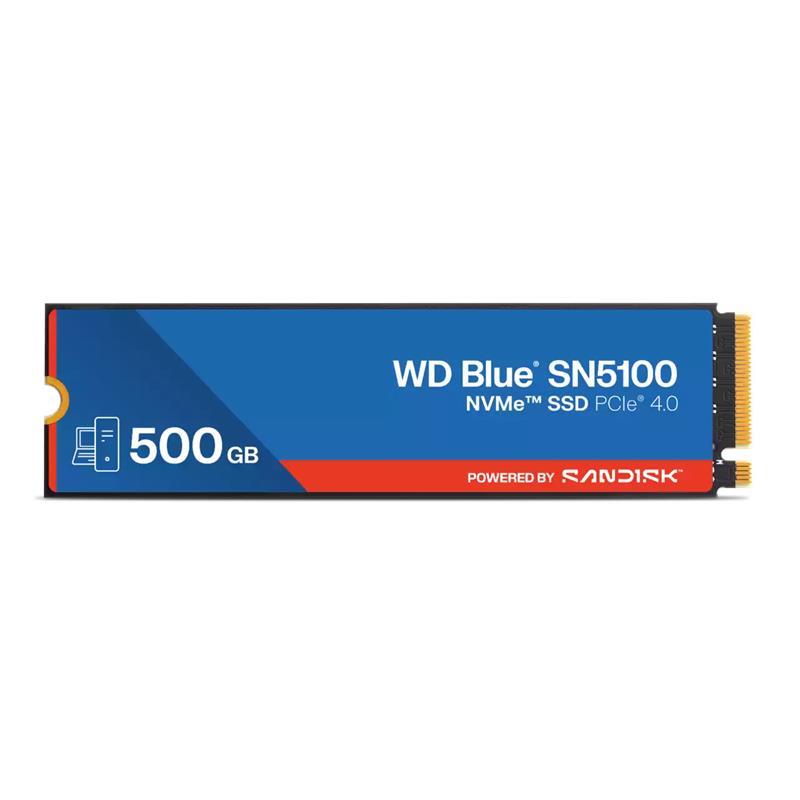
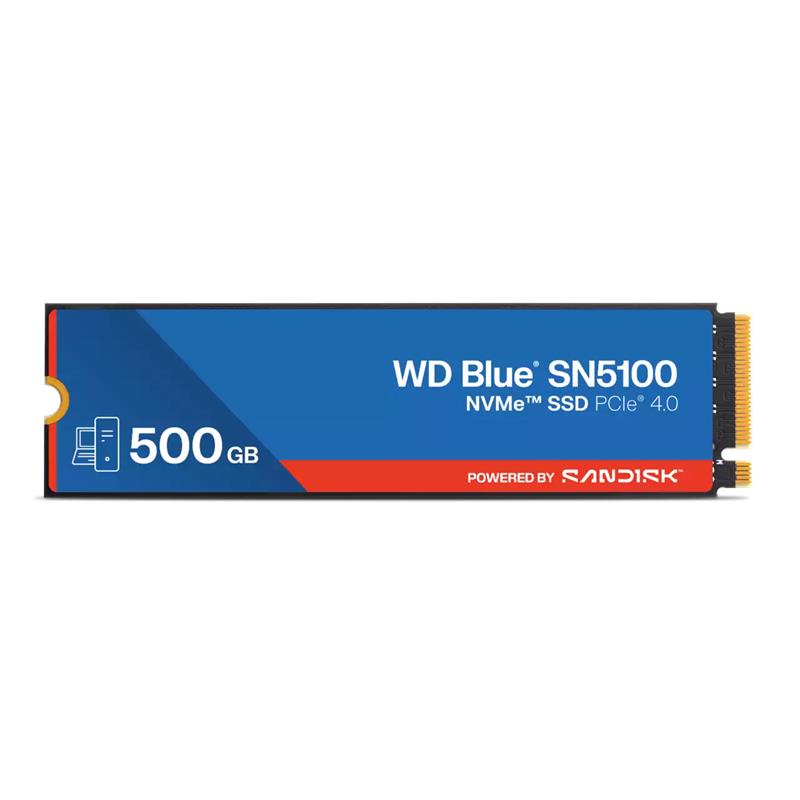
The WD Blue SN5100 500GB NVMe SSD is a fast, reliable storage upgrade that helps your PC feel quicker from the moment you turn it on. Whether you’re boosting system performance, speeding up game loading times, or storing your favorite apps and files, this compact drive delivers strong performance without breaking the bank.
High-Speed PCIe Gen4 Performance
Using PCIe Gen4 x4 NVMe technology, this SSD reaches up to 6600 MB/s read and 5600 MB/s write speeds — much faster than traditional SATA drives and a big step up from older NVMe models. This means faster boot times, quicker game loads, and smoother file transfers.
Just-Right 500GB Capacity
With 500 GB of storage, this drive offers space for your operating system, essential programs, and a selection of games or files. It’s a great choice for users who want a balance of performance and affordability.
M.2 2280 Form Factor
The compact M.2 2280 size fits easily into most modern desktops and laptops that support NVMe SSDs. Installation is simple — just plug it into an M.2 slot on your motherboard.
Quiet, Efficient & Durable
NVMe SSDs like this one run quietly, use less power than traditional hard drives, and have no moving parts — reducing wear and helping keep your system cool and efficient.
Capacity: 500 GB
Interface: PCIe Gen4 x4 NVMe
Form Factor: M.2 2280
Read Speed: Up to 6600 MB/s
Write Speed: Up to 5600 MB/s
Ideal For: System boot drive, fast app/game load times, everyday storage
The WD Blue SN5100 is an excellent choice for anyone upgrading from an older SSD or hard drive. It offers impressive Gen4 NVMe performance in a compact package — perfect for boosting responsiveness in laptops, desktops, and compact builds alike. Backed by Western Digital’s reputation for quality, it’s a smart upgrade that helps your system feel faster and more responsive in day-to-day use.
| Brand | WESTERN DIGITAL |
| Series | WD Blue SN5100 |
| Manufacturer Part Number | WDS500G5B0E |
| SSD Type | Internal |
| SSD Form Factor | M.2 2280 |
| SSD Capacity | 500GB |
| SSD Interface | PCIe 4.0 and Prior |
| Max Sequential Read | 6600MB/s |
| Max Sequential Write | 5600MB/s |
| 4K Random Read | 660K IOPS |
| 4K Random Write | 1100K IOPS |
| Terabytes Written | 300 |
| Brand | WESTERN DIGITAL |
| Series | WD Blue SN5100 |
| Manufacturer Part Number | WDS500G5B0E |
| SSD Type | Internal |
| SSD Form Factor | M.2 2280 |
| SSD Capacity | 500GB |
| SSD Interface | PCIe 4.0 and Prior |
| Max Sequential Read | 6600MB/s |
| Max Sequential Write | 5600MB/s |
| 4K Random Read | 660K IOPS |
| 4K Random Write | 1100K IOPS |
| Terabytes Written | 300 |
| Return Period | 15 Days |
| Defective Exchange Period | 90 Days |
| Return Period | 15 Days |
| Defective Exchange Period | 90 Days |
In accordance with Bill 29, Canada Computers does not guarantee the availability of replacement parts, repair services, or maintenance information for any products. Coverage provided under any Canada Computers Tech Care Plans and applicable manufacturer warranties, if any, remains unaffected. For information regarding a manufacturer’s availability guarantee, please contact the manufacturer directly.
Write your review
check_circle
check_circle