 Email
Email
 Facebook
 X
X
 Copy Link



Loading...
Loading...
 Proudly Canadian-Owned
FREE SHIPPING
on eligible orders over $79! Exclusions apply.
Proudly Canadian-Owned
FREE SHIPPING
on eligible orders over $79! Exclusions apply.
[[ preferedStore.name]], [[preferedStore.iso_code]]
[[ preferedStore.address1]], [[preferedStore.city]], [[preferedStore.province_name]], [[preferedStore.postcode]]
[[ preferedStore.distance ]] km away
My Preferred StorePostal code updated.
See suggested stores below.
[[ store.name]], [[store.iso_code]]
[[ store.address1]], [[store.city]], [[store.province_name]], [[store.postcode]]
[[ store.distance ]] km away
My Preferred StoreYour postal code helps estimate shipping, delivery, and pricing.

Availability
Available delivery methods and estimated delivery times may differ by region.
1. What improvements does ActiveTrack offer on the DJI Osmo Pocket 4?
A: The DJI Osmo Pocket 4 upgrades ActiveTrack with all-focal-length tracking for people, vehicles, pets, and other objects. It also adds enhanced Spotlight Follow, Dynamic Framing, and Frame Tracking to help keep subjects tracked while maintaining your preferred composition.
2. How do I enable or disable ActiveTrack on the DJI Osmo Pocket 4?
A: Double-tap a subject on the Osmo Pocket 4 screen to enable ActiveTrack, then tap outside the tracking frame or press the joystick once to stop tracking. You can also select and track a subject through the DJI Mimo app, but ActiveTrack is not available in Panorama, Timelapse, or Motionlapse modes.
3. Can the DJI Osmo Pocket 4 switch between horizontal and vertical shooting?
A: Yes. By default, the Osmo Pocket 4 automatically switches between horizontal and vertical shooting based on the screen orientation, or you can select Landscape, Portrait, or Auto-Rotation in the settings. Once recording begins, the selected orientation is locked and cannot be changed until recording stops.
4. What settings can be adjusted in Pro mode on the DJI Osmo Pocket 4?
A: Pro mode provides advanced control over settings such as exposure, white balance, focus mode, color, audio, and image adjustments, with available options varying by shooting mode. Photo, Video, Low-Light, Slow Motion, and Timelapse modes each provide their own set of customizable parameters.

| Brand | DJI |
| Model / Mfr Part # | CP.OS.00000544.01 |
| LCD Size | 2.0 inches |
| Image Stabilizer | Yes |
| Storage Media | microSD (up to 1 TB) |
| Model | Osmo Pocket 4 Creator Combo |
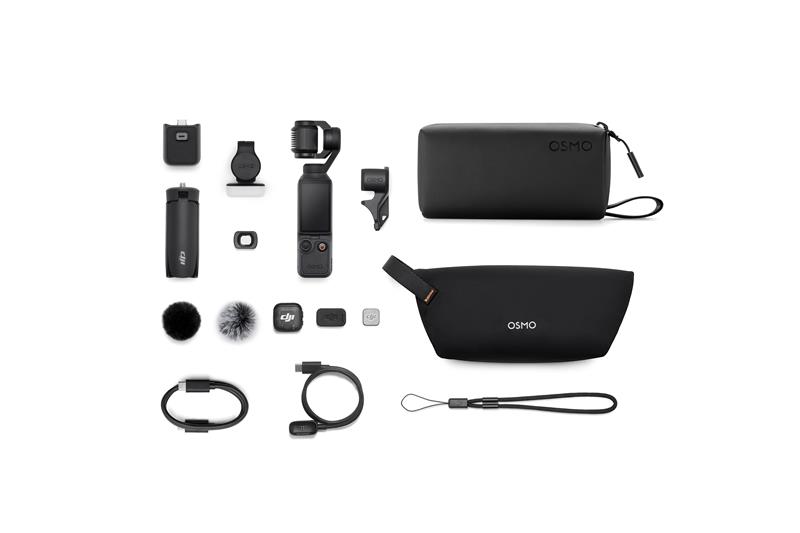
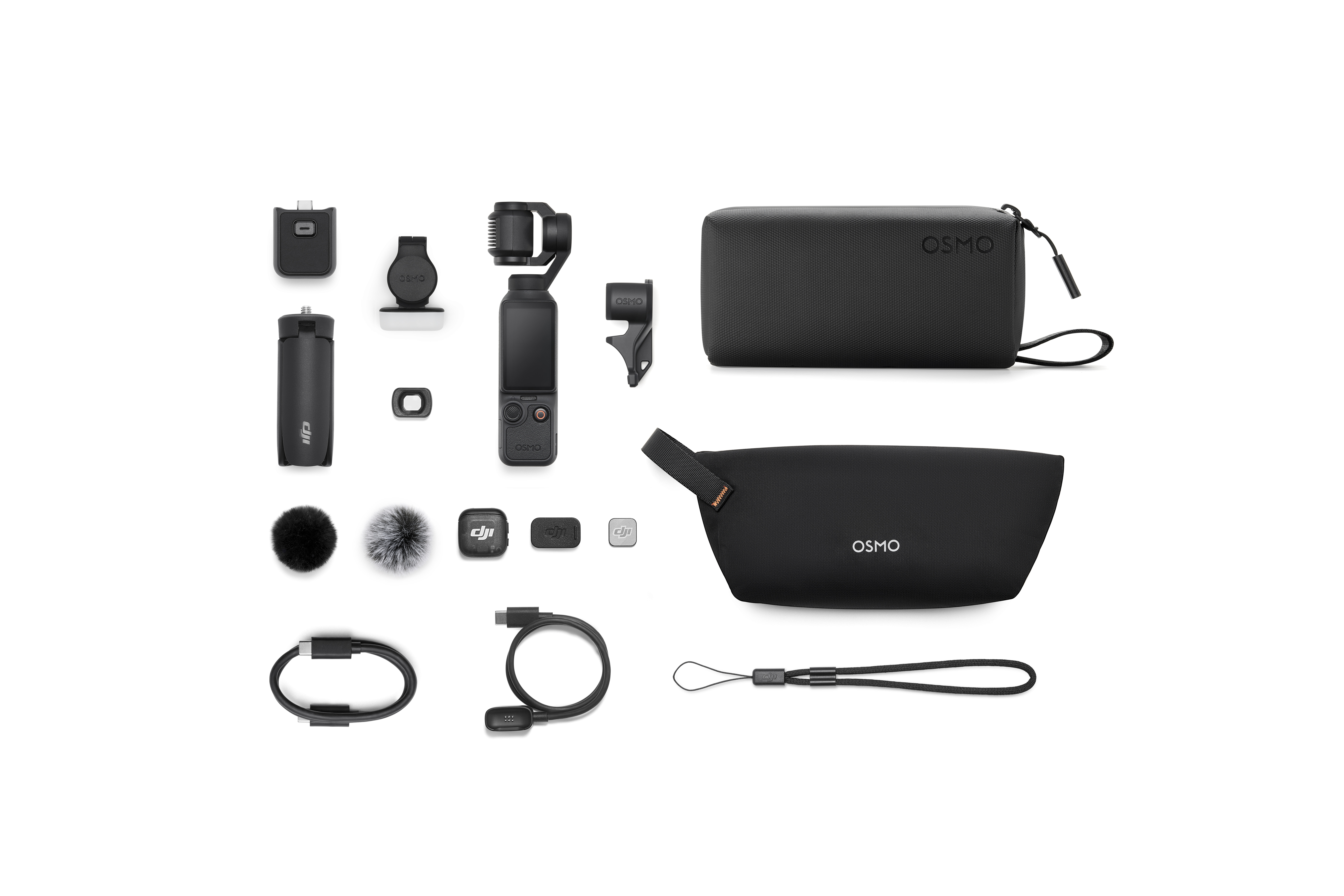
| Accessories Included | Osmo Pocket 4 USBC to USBC PD Cable (USB 3.1) Osmo Pocket 4 Gimbal Clamp DJI Wrist Strap Osmo Pocket 4 Handle With 1 4 Thread Osmo Pocket 3 WideAngle Lens DJI Mic 3 Transmitter DJI Mic 3 Magnetic Clip DJI Mic 3 Windscreen (Black) DJI Mic 3 Windscreen (Black Gray) DJI Mic 3 Magnet DJI Mic 3 Transmitter Magnetic Charging Cable |
| Sensor | 1-inch CMOS |
| Built-in Storage | 107 GB |
| Brand | DJI |
| Model / Mfr Part # | CP.OS.00000544.01 |
| LCD Size | 2.0 inches |
| Image Stabilizer | Yes |
| Storage Media | microSD (up to 1 TB) |
| Model | Osmo Pocket 4 Creator Combo |
| Accessories Included | Osmo Pocket 4 USBC to USBC PD Cable (USB 3.1) Osmo Pocket 4 Gimbal Clamp DJI Wrist Strap Osmo Pocket 4 Handle With 1 4 Thread Osmo Pocket 3 WideAngle Lens DJI Mic 3 Transmitter DJI Mic 3 Magnetic Clip DJI Mic 3 Windscreen (Black) DJI Mic 3 Windscreen (Black Gray) DJI Mic 3 Magnet DJI Mic 3 Transmitter Magnetic Charging Cable |
| Sensor | 1-inch CMOS |
| Built-in Storage | 107 GB |
| Return Period | 15 Days - Unused |
| Defective Exchange Period | 30 Days |
| Return Period | 15 Days - Unused |
| Defective Exchange Period | 30 Days |
In accordance with Bill 29, Canada Computers does not guarantee the availability of replacement parts, repair services, or maintenance information for any products. Coverage provided under any Canada Computers Tech Care Plans and applicable manufacturer warranties, if any, remains unaffected. For information regarding a manufacturer’s availability guarantee, please contact the manufacturer directly.
Write your review
check_circle
check_circle
