Email
Email
 Facebook
 X
X
 Copy Link



Loading...
Loading...
 Proudly Canadian-Owned

Availability
Delivery
Sold out online
Software Download Link:
(BE AWARE: Please copy it and paste it into your browser instead of clicking the link directly.)
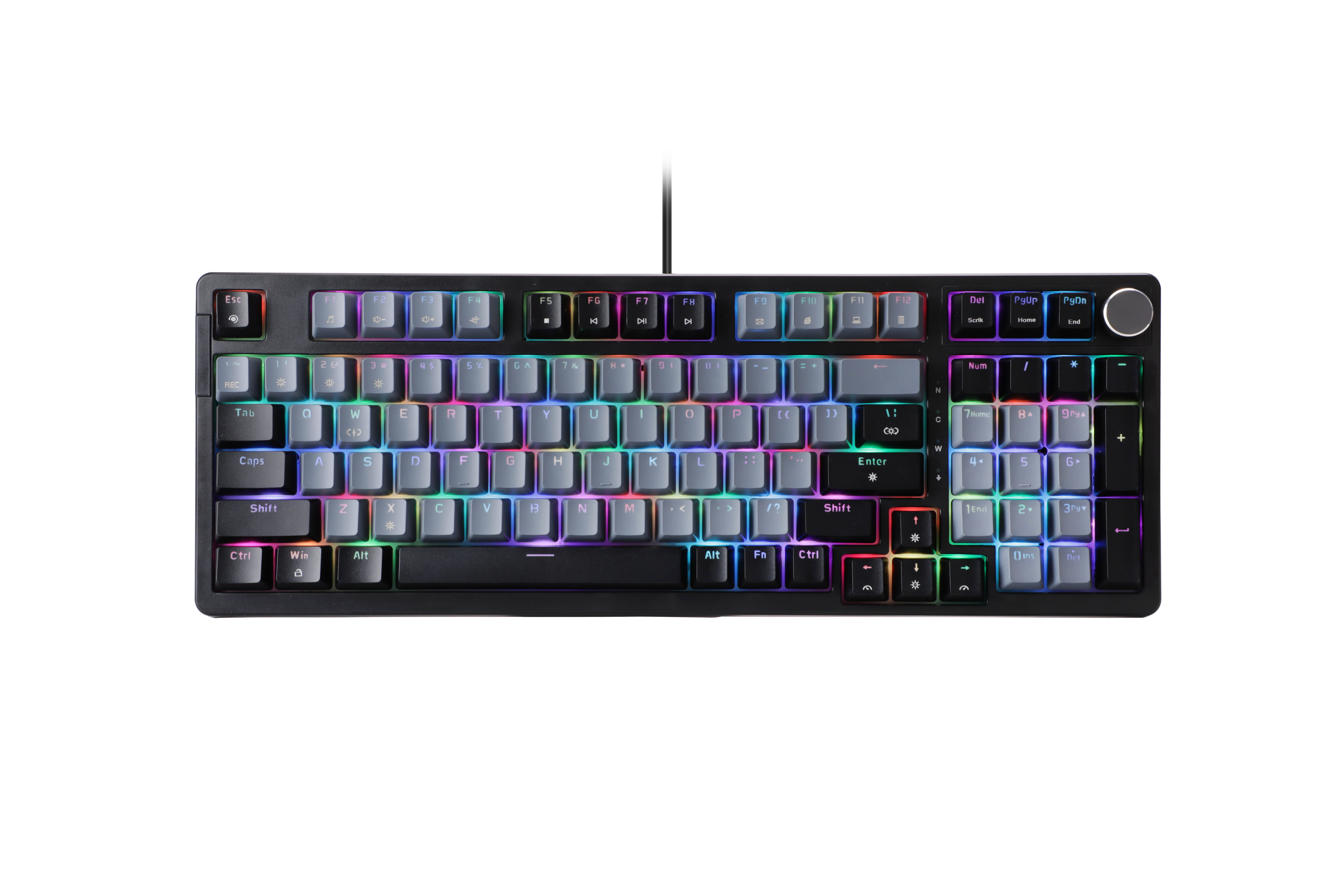
Wired Mode Mechanical keyboard with RGB backlit
Structure: Gasket with 1 pad under the shaft, 1 EVA cotton under the shaft, and 1 EVA cotton under the cover
Full-speed transmission rate
Can support customized
RGB backlit support software
Support power off memory
Full keys anti-ghosting
Compatible with Windows series operating systems, compatible with Android, Linux, IOS and other operating systems ( Multimedia function and other combinations and software are only supported for the Windows system) .
1. Features Description:
Product size : 391*142*43mm
Product weight:745±5g( Not including cable )
Maximum acceleration:1000HZ
Frequency: 24MHz
Voltage: DC 3.3 ~ 5.5V
System:Windows98/XP/2000/ME/Vistar/Win7/ Win8/ Win10/Win11/IOS etc.
Switch: Pluggable switches
Switch working life: OUTEMU 50 million times
Key number: 97keys US layout
Key stroke: 2.0±0.6mm
Keycaps: Double injection ABS keycaps
Product interface: 2.0USB
Cable: USB to TYPE-C Connect, 1.8M braided cable with magnet ring
Current consumption: >300mA
Indicator light: White color /Caps lock ,Win lock,Scroll lock,Num lock
Scroll wheel for volume adjustment:
Clockwise is Vol+, counterclockwise is Vol-, press is mute
2. Fn combination keys
Multimedia keys function :
FN+F1= Music
FN+F2= Vol-
FN+F3 =Vol+
FN+F4=Mute
FN+F5=Stop
FN+F6 =Previous
FN+F7=PLAY/PAUSE
FN+F8=NEXT
FN+F9=E-MAIL
FN+F10=HOME PAGE
FN+F11=My Computer
FN+F12=calculator
FN+Del: Scrlk
FN+pgUp: HOME
FN+PgDn :END
FN+ L-WIN: Lock/open WINDOWS, and the “W” indicator will light up/off
FN+W :Switch W S A D keys with ↑↓← → arrow keys
3. 18 kinds of Backlight modes
FN+\|: Change the illumination function, totally 18 kinds of backlit effect.
FN+Enter: Change the backlit color
FN+X: Turn on/off backlit
FN+ESC: Restore factory Settings (hold FN+ESC key for about 3 seconds)
FN+↑: Increase backllight brightness(0%; 25%; 50%; 75%; 100% ) When set to the limit gear, all indicators blink for 3 times
FN+↓: Decrease backlight brightness, total 5 levels(100%; 75%; 50%; 25%; 0% ) When set to the limit gear, all indicators blink for 3 times
FN+→: Increase backlight speed, 5level ,When set to the limit gear, all indicators blink for 3 times
FN+←: Decrease backlight speed, 5 level ,When set to the limit gear, all indicators blink for 3 times
4. GAME SPEPCIFIC MODE
FN+1!: Default FPS mode : W, A, S, D, ←, →↑, ↓ (illuminated)
FN+2@: Default LOL mode: Q, W,E, R, D, G, F, B, V, Ctrl, Alt, Tab, ~, 1-6, Esc,Space(illuminated)
FN+3#: Default 37 keys office mode: A-Z 26letter,/[/]/;/’/./,///↑/↓/←/→ (illuminated)
FN+`~: Custom backlight recording mode (the recording steps are as follows)
Custom backlit recording and storage:
FN+ `~ = Record/Storage
Press Fn +1,FN+2 and Fn +3 to enter the game specific mode, then press Fn +`~ to enter the custom light recording state. and 5 indicator in the upper right corner are flashing, Click the button to record, press the keys you want to record first time, it would be in Red. Press twice, then it would be Orange; Press again, it would be Yellow ; Press fourth time, it would be Green, press again, then it would be Cyan; Press sixth time, it would be Blue; Press seventh time, it would be Purple; Press again, the keys would be in White, Press nighth times, then it would be colorless; Cycle. After recording, press FN+ `~ to save and exit. The first group is recorded and replaced.