 Proudly Canadian-Owned
Step into Tomorrow’s Tech: Why It’s Time to Upgrade to a Googlebook
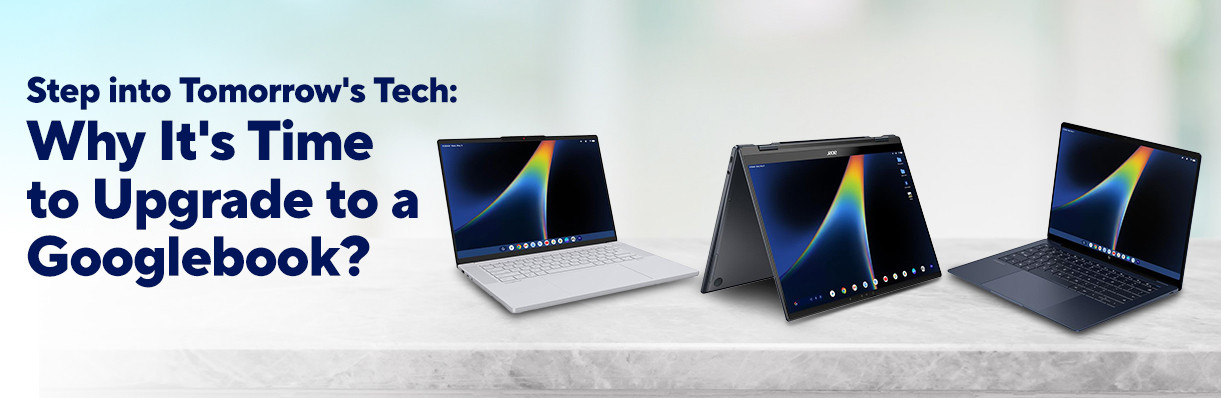
If you’ve been waiting for work laptops to feel truly modern again, the wait is officially over! The new era of Googlebook OS has arrived, bringing seamless Gemini intelligence, stunning OLED displays, and ultra-fast hardware right to your fingertips.
Whether you’re a student aiming for top grades in school, a professional looking to boost productivity, or a creator who needs visual clarity, a Googlebook is tailored just for you. Every model in this futuristic lineup comes stacked with 16GB of memory and 512GB of fast SSD storage right out of the box, giving you instant responsiveness from the moment you power it on.
Here is a closer look at the stunning new lineup, complete with feature breakdowns, pros and cons, and why one of these machines is a need for your personal setup!
Googlebook Lineup Comparison At-a-Glance
| Feature | Acer Googlebook 14 | HP Googlebook 14 | Lenovo Googlebook 15.3" |
| Display | 14" 2.8K OLED Touchscreen | 14" OLED Touchscreen | 15.3" 2.8K OLED Touchscreen |
| Form Factor | 360° Convertible (2-in-1) | Traditional Laptop | Traditional Laptop |
| Processor | Intel Core Ultra 7 355 | Qualcomm Snapdragon X Elite | Intel Core Ultra 5 325 |
| RAM | 16GB | 16GB | 16GB |
| Operating System | Googlebook OS | Googlebook OS | Googlebook OS |
| Storage | 512GB SSD | 512GB SSD | 512GB SSD |
| Key Advantage | Maximum Processing Power & 2-in-1 Flexibility | Excellent All-Day Battery Life | Spacious 15.3" Workspace |
1. Acer Googlebook 14: Ultimate Versatility & Power
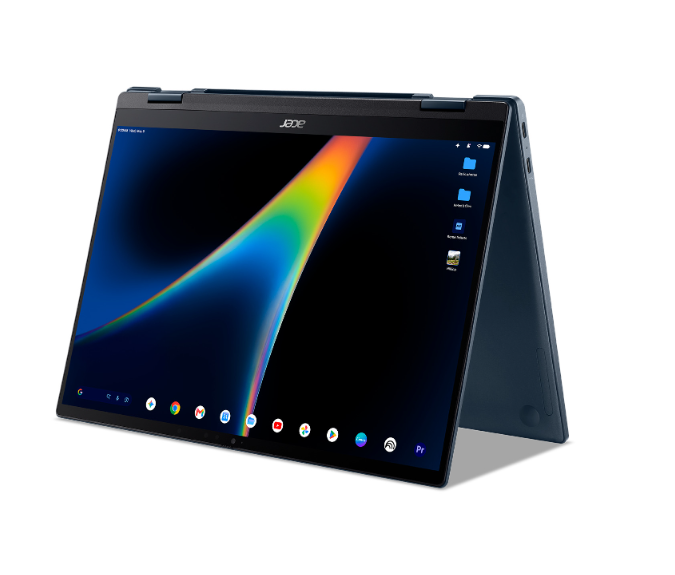
- The Specs: 14" 2.8K OLED Convertible Touchscreen | Intel Core Ultra 7 355 | 16GB RAM | 512GB SSD | Googlebook OS
If you want a laptop that adapts to your every single need, the Acer Googlebook 14 is your dream device. Designed with a sleek 360-degree convertible hinge, this machine effortlessly transforms from a traditional high-powered laptop into a hands-free display tent, or a sleek flat tablet for sketching and note-taking.
- Why You’ll Love It : Powered by the flagship Intel Core Ultra 7 processor, it glides through intensive multitasking and complex Gemini AI workflows without breaking a sweat. Plus, the high-resolution 2.8K OLED touchscreen makes colors jump off the screen, turning every movie, photo edit, and project into a visual masterpiece.
- Pros :
- Versatile 360° hinge design (Laptop, Tent, Tablet modes)
- Top-tier Intel Core Ultra 7 CPU for demanding tasks and local AI processing
- Razor-sharp 2.8K resolution OLED display
- Cons :
- Slightly heavier than standard 14-inch clamshell models due to the convertible hinge
- Higher performance chip draws more power during continuous heavy workloads
2. HP Googlebook 14: Unstoppable All-Day Battery & Speed
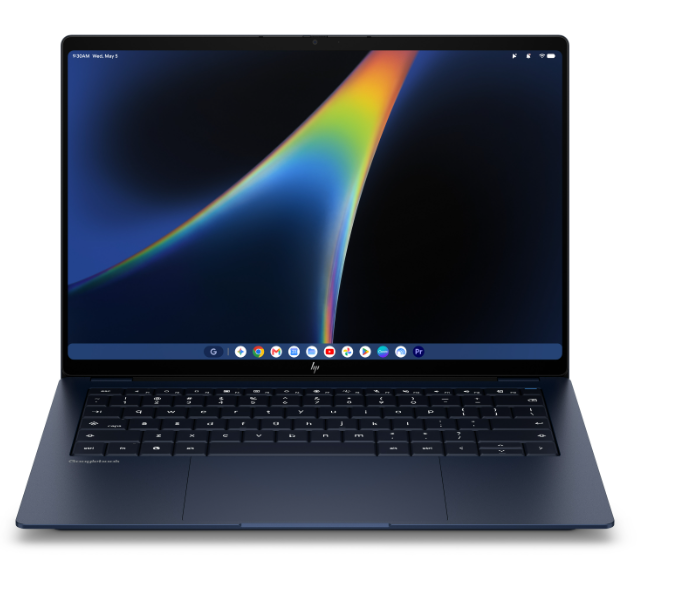
- The Specs: 14" OLED Touchscreen | Qualcomm Snapdragon X Elite | 16GB RAM | 512GB SSD | Googlebook OS
Say goodbye to outlet anxiety forever. The HP Googlebook 14 brings Snapdragon X Elite technology into the Googlebook OS family, delivering mind-blowing efficiency without sacrificing high-end speed.
- Why You’ll Love It : Thanks to its ultra-efficient ARM architecture, this laptop runs whisper-quiet and cool on your lap while delivering marathon battery life. Imagine working through a full day of browser tabs, streaming music, and offline Gemini tasks without ever reaching for your charger. Wrapped in a slim, lightweight chassis with a rich OLED display, it’s built to move with you anywhere.
- Pros :
- Exceptional all-day battery life powered by Snapdragon ARM architecture
- Runs exceptionally cool and quiet during everyday productivity
- Ultra-portable, lightweight form factor perfect for travel
- Cons :
- Does not fold into a tablet
- Standard OLED resolution is sharp, but not 2.8K
3. Lenovo Googlebook 15.3": Big Display, Endless Possibilities
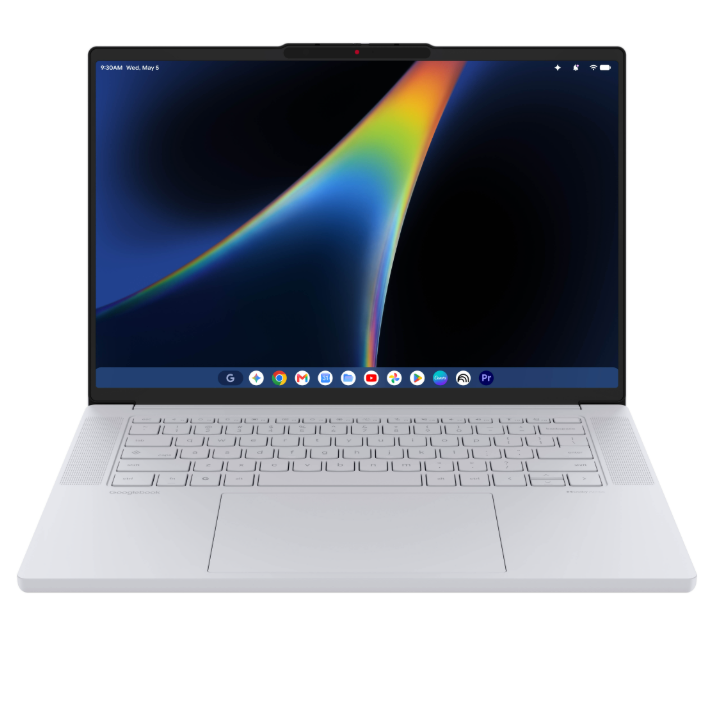
- The Specs: 15.3" 2.8K OLED Touchscreen | Intel Core Ultra 5 325 | 16GB RAM | 512GB SSD | Googlebook OS
Want more screen room to breathe? The Lenovo Googlebook 15.3" combines an expansive screen with an ultra-sleek design, giving you the ultimate companion for work and play.
- Why You’ll Love It : The gorgeous 15.3-inch 2.8K OLED touchscreen gives you all the room you need to run split-screen apps, manage spreadsheets, and keep your Gemini AI assistant open side-by-side without feeling crowded. Powered by the smooth Intel Core Ultra 5 chip, it balances effortless daily performance with an immersive visual experience smaller laptops can’t match.
- Pros :
- Generous 15.3-inch 2.8K display gives enough workspace for multitasking
- Great balance of price, display size, and performance
- Lightweight chassis despite the larger screen footprint
- Cons :
- Larger overall size requires a bigger laptop sleeve or bag
- Intel Core Ultra 5 processor is slightly less powerful than the Ultra 7 in the Acer
Ready for the Future? Grab Yours Today!
The future of personal computing is officially here, and you don't have to wait to experience it. Whether you are drawn to the flexible 2-in-1 power of Acer, the long-lasting battery life of HP, or the spacious display of Lenovo, your next machine is waiting.
Explore and shop the entire Googlebook lineup today at Canada Computers and avail freebies when you buy a unit! Experience the future now and unlock the full power of Gemini intelligence!
Frequently Asked Questions
- 1. What makes upgrading to a Googlebook OS laptop worth it?
- Googlebook OS is built natively for AI and seamless app integration. Unlike older laptop operating systems, Googlebook OS puts Gemini intelligence at the core of your setup—helping you summarize content, automate tasks, generate ideas, and run mobile and desktop apps effortlessly with maximum speed.
- 2. Can I run my Android apps on a Googlebook laptop?
- Absolutely! Googlebook OS features Google Play Store integration, allowing you to download and run your favorite app directly on a beautiful OLED touchscreen with full keyboard and mouse support.
- 3. Why are OLED screens a big deal on these Googlebook models?
- OLED panels provide vibrant color accuracy, high contrast ratios, and true pitch-black levels because each pixel illuminates independently. Whether you’re working on graphics, watching 4K videos, or reading text, an OLED screen reduces eye strain and provides a premium visual experience.
- 4. Which Googlebook is best for working away from a desk all day?
- The HP Googlebook 14 takes the crown for on-the-go productivity. Thanks to the power efficiency of the Qualcomm Snapdragon X Elite processor, it delivers exceptional battery endurance, making it perfect for travel, coffee shop sessions, and long workdays without a power outlet.
- 5. Does the Googlebook come with enough memory and storage for future updates?
- Yes! Every model of Googlebook from different brands like Acer, HP, and Lenovo comes with a mandatory minimum capacity of 16GB of RAM and a fast 256GB SSD, and a standard 512GB SSD from the vast majority. This generous memory and storage baseline ensures smooth multitasking, fast boot times, and plenty of room for all your files and AI tools for years to come.